How to Publish in Ingeniux
How to Publish.
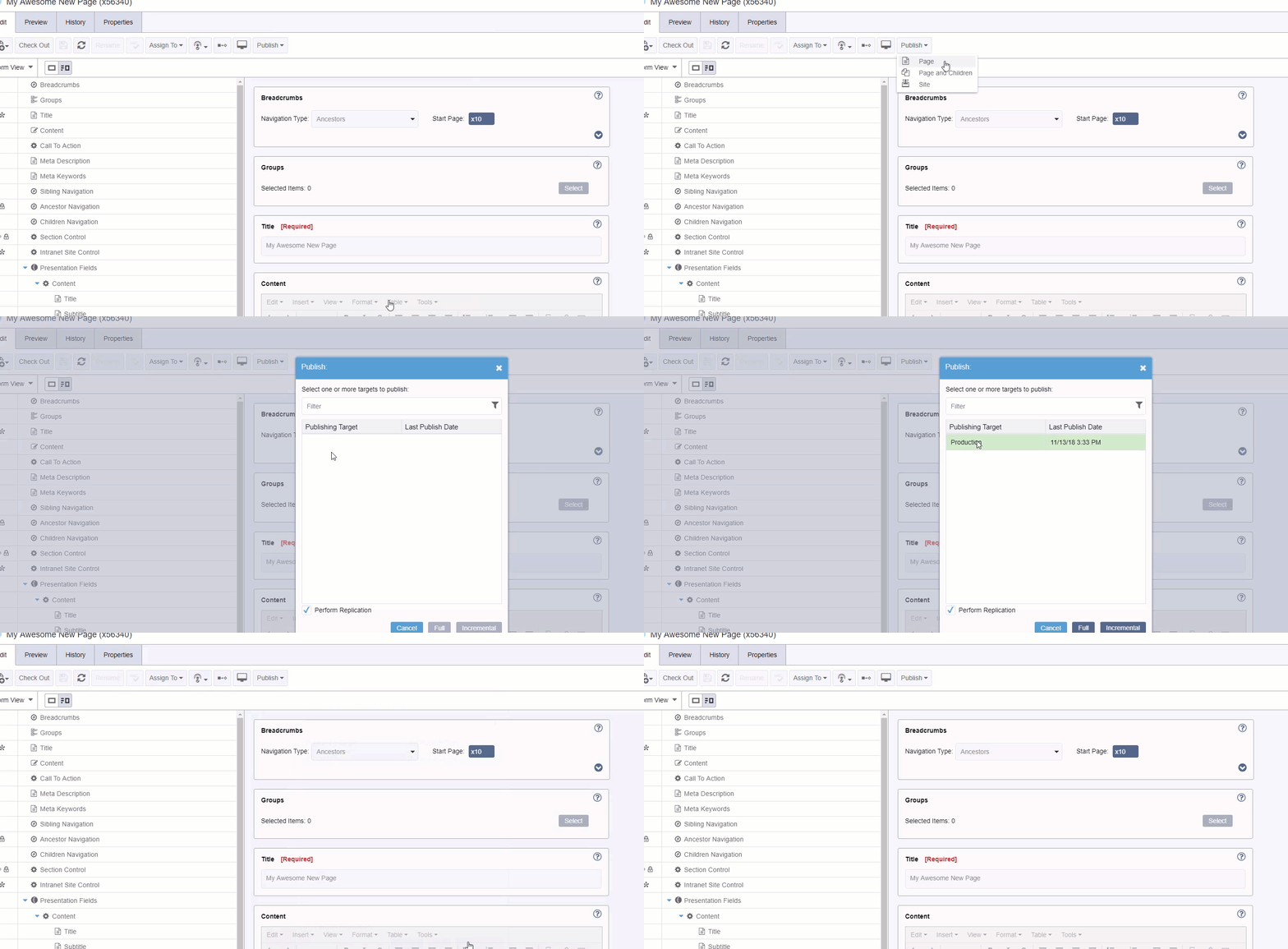
- From any page or asset, click “Publish”
- Then select “Site”
- In the window that pops up, click “Production” as the target
- Click the “Incremental” Button.

Insert the picture – Click on the picture icon at the top or right-click and select Insert Image. Image Description is required for all images. Accurate, Concise Description It’s important to not only provide an ALT tag, but also provide one that is useful in the context of the document. You may not need to…
An accordion module will show / hide content within any number of sections. The header for each section is plain text, and the body may be full HTML content with WYSIWYG support.
Important: Images are now Assets and must be both Checked In and Marked for Publish before they will appear on your page. Upload the picture – Go to Assets, then Click the Upload icon. Browse to the location where the picture is saved and select it. Then, click Upload. Double click the Images folder Find the…
Find the page you want to edit by Site Tree the tree on the left. Click the down arrow icon next to “Ingeniux CMS” Until you see the page you want to edit. If you do not see the page you are searching for, make sure that you have the tree fully expanded by clicking…
Important: Documents are now Assets and must be both Checked In and Marked for Publish before they will appear on your page. Go to Assets icon. Navigate to the correct Documents Folder Click the “Upload” button on the top right. Click, “Select File to Upload,” Browse to the location where the document is saved and…
On some Inside Roanoke pages, you may get an error about an Empty Content block when trying to check a page in. The error will look like this: To resolve this error, you will need to find and clear any Content Elements. The best way to find these is to use the Form view in…