
Insert a Link to a Document
- Ensure you have Uploaded Your Document into Ingeniux
- Insert the link – Highlight the text you wish to link. Then click the Insert/edit Link button.
- Select Asset at the top
- Click on the browse button beside Asset to select the document.
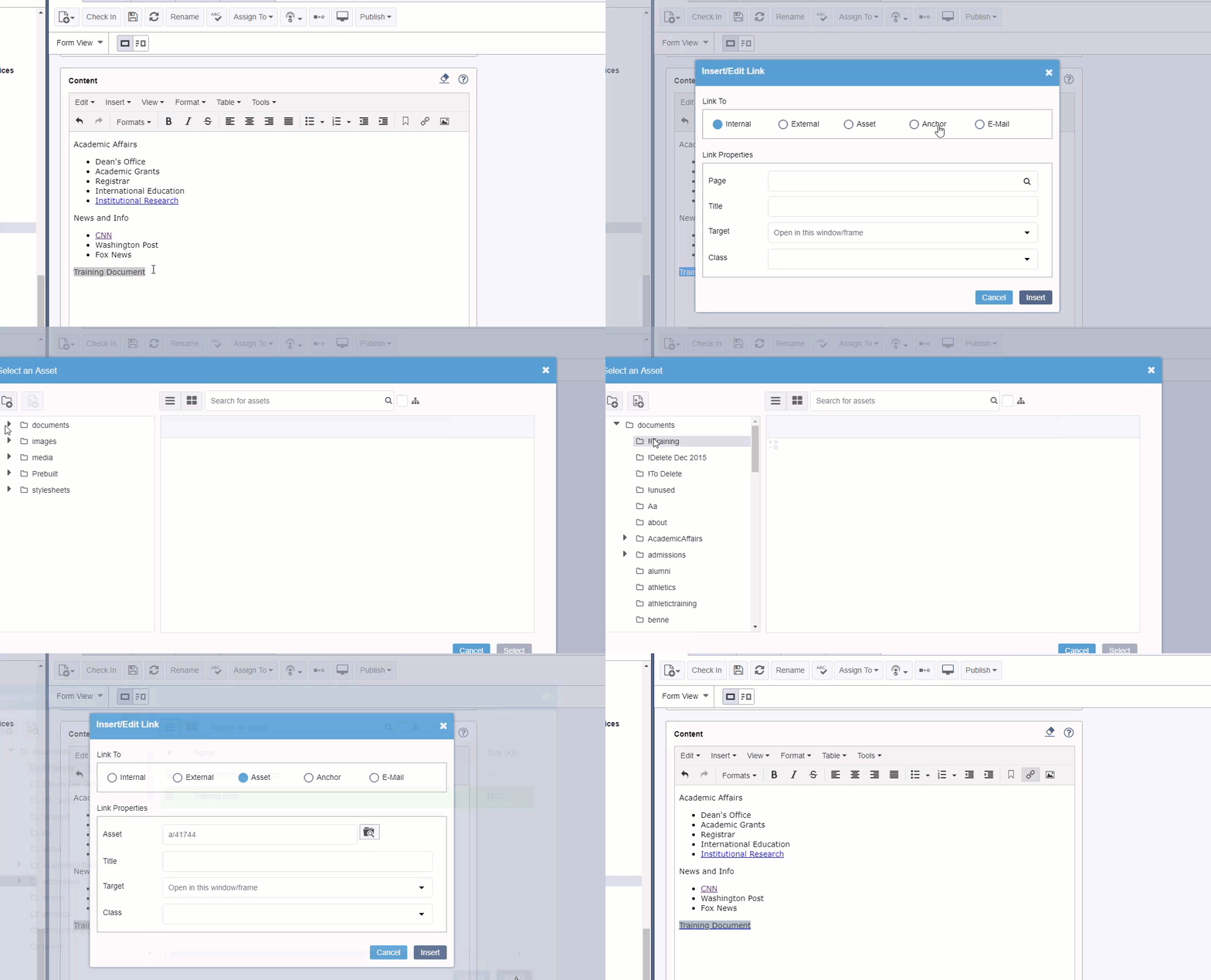
- Find the asset and click Insert