Ingeniux – Quote Module
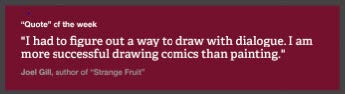
- The quote module displays a line of text with a designed appearance including large quote marks.
- The module supports the capability for a header, the quote, and attribution.
- The header and attribution fields are optional.

Previously we have edited pages with Form View. For Components you will need to access Design view to add, delete and reorder them. Check the page out and click on Design View This will load a visual view of your page, similar to Preview. After your main on-page content, you will see the Page Builder…
Insert the picture – Click on the picture icon at the top or right-click and select Insert Image. Image Description is required for all images. Accurate, Concise Description It’s important to not only provide an ALT tag, but also provide one that is useful in the context of the document. You may not need to…
Insert a Link to another page in Ingeniux Highlight the text you wish to link. Then right-click and select Insert Link or Select the Link icon in the editor. Select Internal at the top Under Page, type in the page name and select from the list
Add a component is as simple and dragging and dropping it on the page. You can choose any of the components listed in the training. Note: Some older pages might not have the drag target set, in this case, create one: Select the Page Builder section Add a Content Section Click the Checkmark Drag a…
The video module enables the CMS author to feature a specific video. Clicking the “watch video” icon links the user to the video detail page. The video title, subtitle, and caption can be automatically fed from the CMS entry for the video, or overridden for this module. The title, subtitle, and caption can also be…
The event listing module displays a number of news stories. Which category stories will be shown (or all). How many events will be shown