
Mass Email and Text a Group of Students
Communicating with Students
Navigate360 provides both email and text messaging for faculty and staff to communicate with students, either
individually or en masse. Communicating with students through the platform creates records of those
communication which can be accessible by other staff or faculty on your campus. In addition, it allows for a quick
and easy way to communicate with more than one student at once.
Any faculty or staff member will only be able to view communications in which they have the proper permissions.
Permissions allow users to either view only their own communications with students, or to view all communications
with students. If you are unsure who can view your communications, contact your Application Administrator.
How do I send the emails or texts?
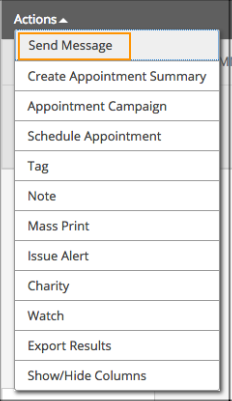
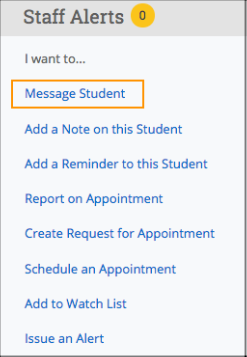
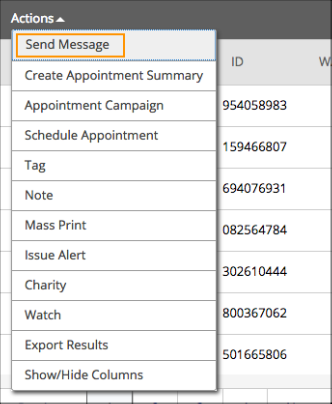
You can send emails or texts to one or more students from your staff homepage, the student profile, or the
advanced search. Most “Actions” menus throughout the platform allow for sending emails or texts. See below for
screenshots of each of these locations.
• Send a message from the Staff home page (fig. 1)
• Send a message from the Student home page (fig. 2)
• Send a message from the Advanced Search (fig. 3)
Important Note: If you do not see the option to Email or Text students, then your role does not have the
proper permission for this action, or your institution decided not to allow texting. Please contact your Application
Administrator with questions.