
Ingeniux – Site
In the Site tab, you can see and edit pages.
Pages you can’t edit are greyed out; pages you can edit are not greyed out.
Click the Site Hierarchy Icon (Top Left) to see the “Site Tree.”
Note: Click Ingeniux CMS – Site – Home – Inside to see all the pages in Inside Roanoke.
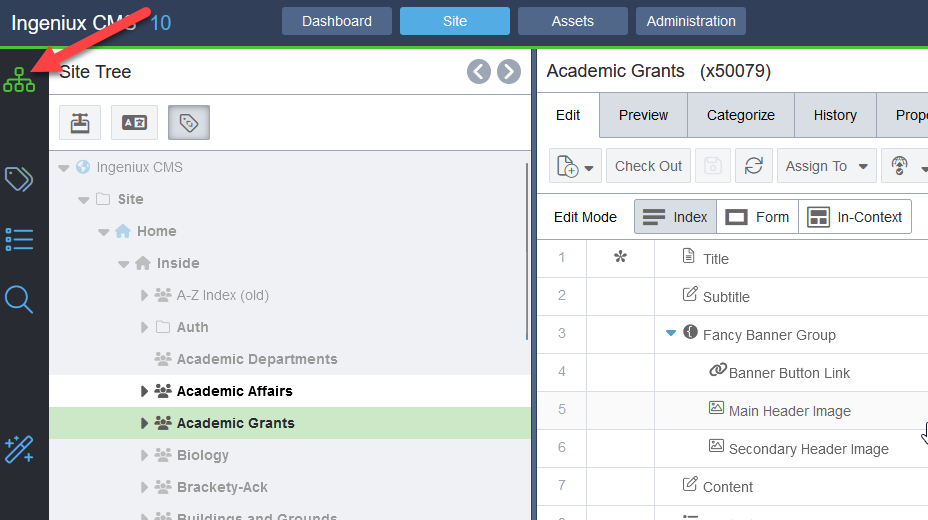
Once you have located the page you want to edit, you can “Check Out” the page to begin editing.